

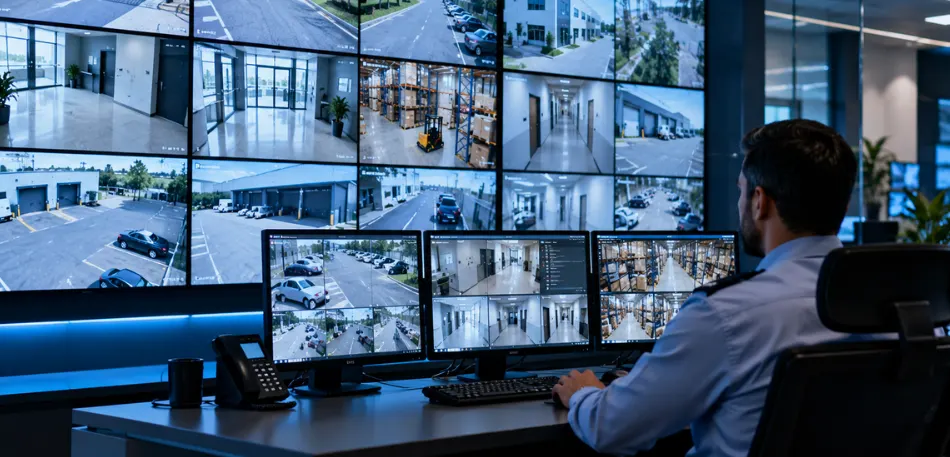
Most businesses buy a security camera system for business protection and stop there. Cameras go up, footage records, and everyone assumes the site is covered. Then something happens after hours, and the recording shows exactly who walked through a door they should never have had access to. The camera did its job. Nothing discontinued the person from getting in.
That gap is the whole reason access control exists and why treating it as a separate purchase from your cameras is usually a mistake.
What Does a Real Security Camera System for Business Actually Include?
A lot of companies end up with cameras from one vendor, door access from another, and a fire panel from a third, and none of the three talk to each other. Security & surveillance solutions providers who work across CCTV, access control, biometrics, RFID, and fire safety build these as one connected system instead, so an alarm on one side triggers the right response everywhere else. That is a meaningfully different outcome than five separate logins and five separate incident reports after something goes wrong.
Camera selection alone involves real decisions: bullet versus dome versus PTZ, matched to lighting and distance rather than just picked off a spec sheet. Storage has to be sized for how long footage actually needs to sit around, not the minimum that ships in the box by default. These are not glamorous details, but they decide whether footage is usable months later or just static filling a hard drive.
Why Cameras Alone Leave a Hole That Access Control Closes
Camera record. They do not stop anyone from walking through a door. Access control replaces keys and swipe cards, both of which get copied or lost more often than most owners want to admit, with credentials that can be revoked the moment someone leaves the company. Every entry gets logged automatically, so there is an actual record of who went where and when, not a guess based on who had a key that week.
The stronger setups pair access levels with departments and shifts rather than handing everyone the same blanket access, and door hardware gets wired to fail safely if power drops, so a blackout does not turn into a lockout or a security hole. Biometric layers, fingerprint or facial recognition, add another step for spaces where a shared card genuinely is not enough, like server rooms or restricted storage.
The Network Behind It All Decides Whether Any of This Works
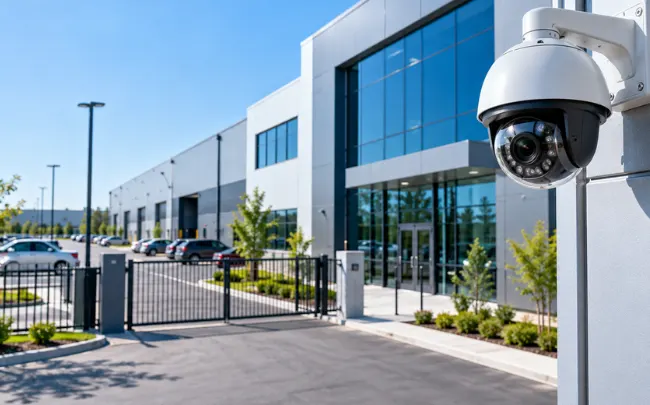
None of this holds up without solid infrastructure underneath it. Cameras, access readers, and alarm panels all depend on a network that stays up, and that is where a lot of installations quietly fail. IT Infrastructure Solutions covers the networking, cabling, and server capacity that these systems actually run on, sized for real load rather than whatever a vendor wanted to sell.
Structured cabling matters more than it gets credit for. A camera system routed on whatever cable was cheapest at install time tends to cause problems for years afterwards, long after anyone remembers why. Fibre for longer runs, proper testing and certification on every connection, and racks that are organised rather than a tangle behind a door all decide whether troubleshooting takes ten minutes or half a day.
What Integration Looks Like Once It Is Actually Working
In practice, integration means an access breach automatically pulls up the relevant camera feed instead of someone digging through footage after the fact. It means a fire alarm can trigger door release on its own, without a person standing by to do it manually. It means one dashboard for live footage, access events, and alarm status, instead of five browser tabs and five passwords.
The usual process runs in four stages: a site assessment to establish what actually needs protecting, a system design covering cameras, access points, and network capacity together, installation by engineers who understand how the pieces connect, and ongoing support so the system stays reliable well past the handover date. Skipping any one of those stages tends to show up later, usually at the worst possible time.
Final Thoughts
A security camera system for business only does half the job on its own. Pairing it with access control and the network capacity to support both is what actually closes the gap between recording a problem and preventing one. If your current setup is five disconnected pieces held together by habit, what would it take to get everything talking to each other properly?
FAQ
Can I add access control to cameras I already have, or do I need to start over?
In most cases you can integrate what's already installed rather than ripping it all out. It comes down to assessing what's usable first.
Do biometric readers actually work with masks or gloves on?
Facial recognition generally holds up fine with a mask. Fingerprint readers need bare skin contact, so that's worth planning around if your team wears gloves on site.
Is RFID secure enough for regular office doors, or is it too basic?
For standard access, it's fine. For anything higher security, pairing it with a PIN or biometric layer is the usual move.
What will happen if the power goes out?
Door hardware should be wired to fail safely, meaning a blackout doesn't accidentally lock everyone out or leave a door wide open. That's a design detail worth asking about before you sign anything.
Do I need someone monitoring this constantly, or does the system just run itself?
Both options exist. Some businesses want active monitoring; others just want maintenance agreements so issues get caught early instead of ignored until something breaks.
Leave A Comment